
Comparison • ScaleTap vs Drawboard
ScaleTap vs Drawboard on iPad
Drawboard is a broad PDF workspace. ScaleTap is narrow on purpose: calibrated measurements, quick markup, and clean exports for teams whose day is plans, not paperwork.
Check current Drawboard features and pricing before making a purchase decision.
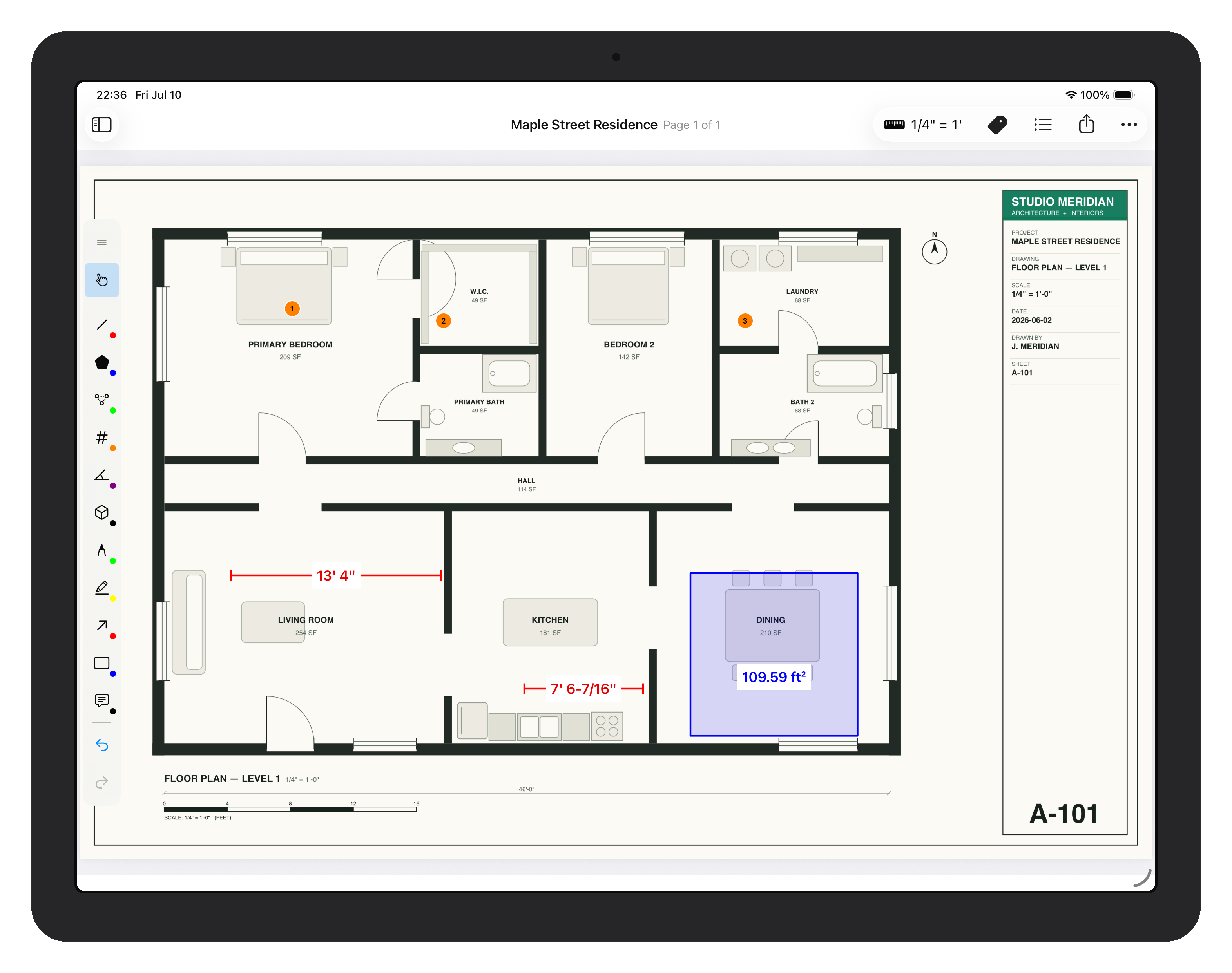
ScaleTap keeps the workflow narrow on purpose: calibrate, measure, mark up, export.
Where ScaleTap focuses
| Focus area | ScaleTap | Drawboard |
|---|---|---|
| Measurement-first takeoff flow | Primary workflow | One workflow inside a broader PDF product |
| Takeoff measurements + calibration | Length, area, polyline, count, angle, arc, and volume | Check current iPad implementation |
| Minimal markup + presets | Intentionally limited set | Broader annotation environment |
| Flattened PDF + measurement CSV export | Built-in handoff path | Check current export formats |
| Goal | Fast field measurement + handoff | Broader PDF review and annotation |
Honest answer: choose Drawboard if your team needs a broad PDF workspace. Choose ScaleTap if the job is calibrate, measure, mark up, send proof — with as little friction as possible.